Local files. No account.
Save diagrams on your Mac, alongside the rest of your project. The desktop app works without a cloud account.
 nodetto.
WEB / APP / DATABASE / ARCHITECTURE
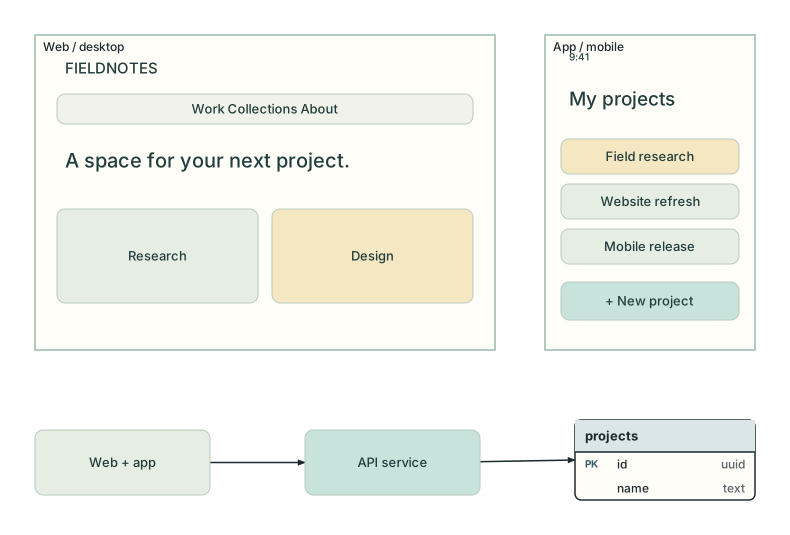
Design a website, lay out a mobile app, model its database, and map the architecture behind it. One canvas for the interface and the system that makes it work.
macOS 12+ · Apple Silicon · Free & open source
Web & app design
Database modeling
System architecture
DESIGN THE WHOLE PRODUCT
Move between web layouts, mobile screens, database models, and architecture diagrams. Artboards, reusable components, and structured diagram shapes share the same canvas.
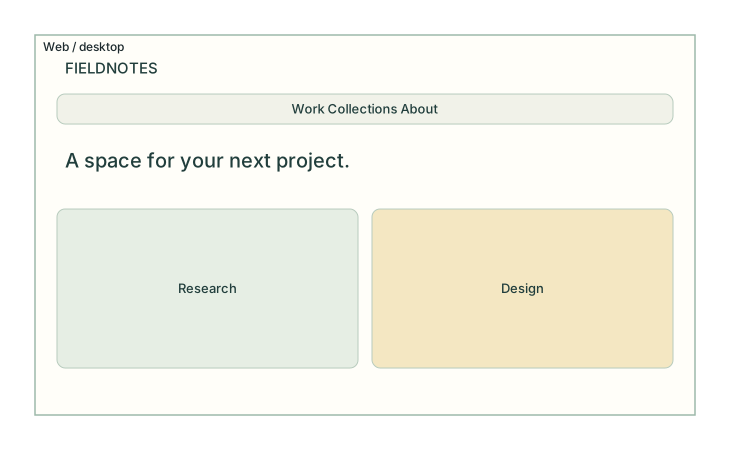
Build web layouts on artboards. Arrange content with auto layout and constraints, and reuse components across your design.
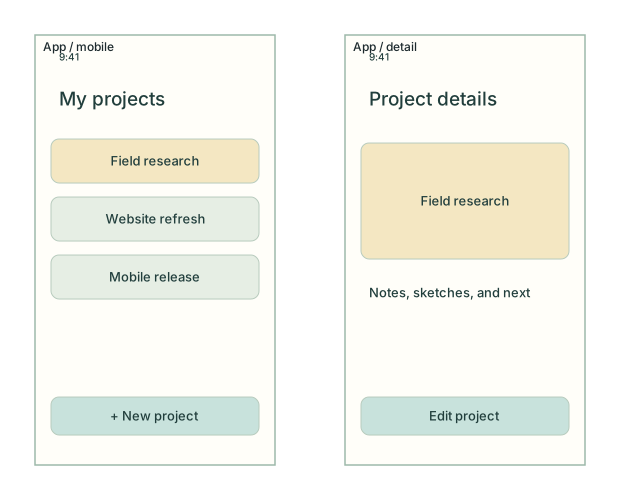
Lay out app screens with iPhone, Android, and tablet artboards. Use platform-aware safe areas, components, and prototype links to explore a flow.
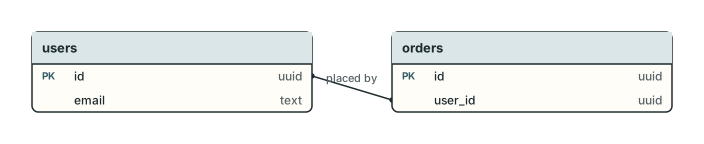
Model tables and columns, connect foreign keys, and export a schema as SQL for PostgreSQL, MySQL, or SQLite.
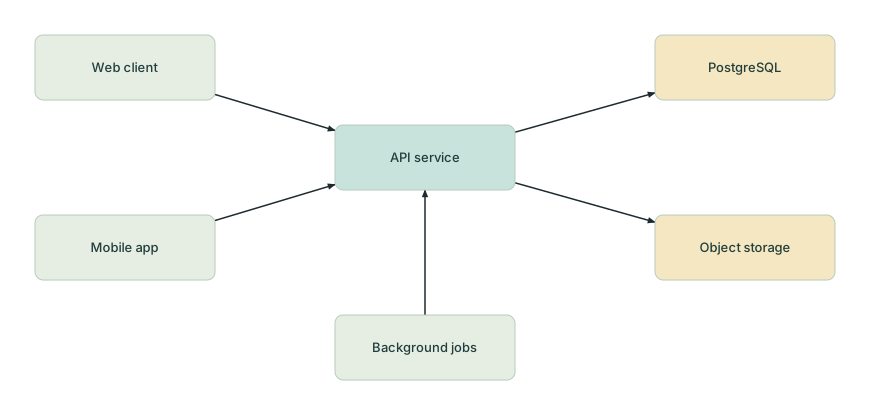
Connect clients, services, databases, and storage. Explain system boundaries and dependencies, then add UML or sequence diagrams where more detail is useful.
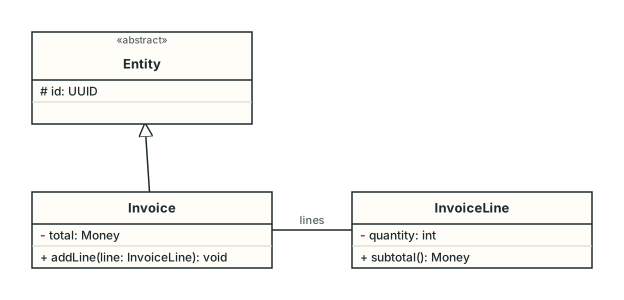
Describe classes, attributes, methods, and relationships. Give the structure of your system a shared visual language.
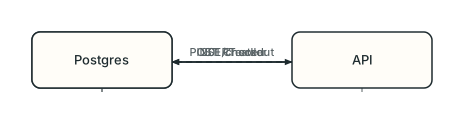
Map the messages between people, services, and databases. Make the order of operations easy to discuss.
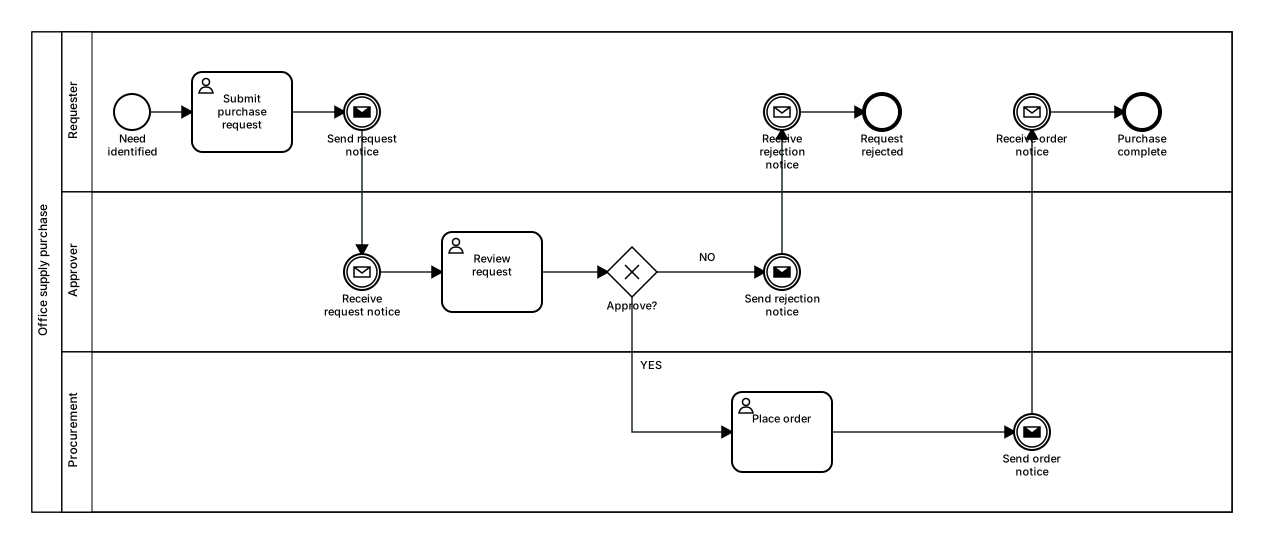
Connect tasks, events, and gateways to describe a business process. Import and export BPMN XML when the diagram needs to travel.
AT HOME IN YOUR PROJECT
The desktop app and bundled nodetto-cli work with the same JSONL document. Draw by hand, inspect a diagram from your terminal, or let an AI agent help with the next edit.
Read the CLI guideYour diagram, from the terminal
$ nodetto-cli inspect shop.jsonl
document "Shop"
  page p1 "Schema" erd
    erd.table users
      column id uuid pk
      column email text
    erd.table orders
    erd.relation orders → users

$ nodetto-cli export shop.jsonl \
    --format svg --output shop.svg
The CLI is included with the Mac app. Homebrew links it for you.
Save diagrams on your Mac, alongside the rest of your project. The desktop app works without a cloud account.
Give an agent a compact outline or JSON, apply structured edits, and render the result through the CLI. Use your existing tools.
Export SVG, PNG, or PDF for people; Mermaid, D2, or SQL for your workflow. Available formats depend on the diagram.
READY WHEN YOU ARE
Get Nodetto for macOS on Apple Silicon (M1 or later). Choose the DMG or install from your terminal.
macOS 12+ · Apple Silicon
brew install --cask tacogips/tap/nodettobrew update
brew upgrade --cask tacogips/tap/nodettoopen -a Nodetto shop.jsonlYes. Nodetto is open source under the MIT license. The desktop app is free to download.
The published Mac build supports Apple Silicon (M1 or later) on macOS 12 Monterey or later. See GitHub for source builds.
In local JSONL files on your Mac. Keep them with a project, put them in version control, and export them when you need to share.
The bundled CLI works with your own AI agent. There is no built-in model subscription or account required by the desktop app.
This page is for the desktop app. A cloud edition is planned separately; it is not available here yet.